

How to Register on INPP Cloud
Quick step-by-step guide
⏱ Takes only 5 minutes📋 Before you start – you need:
- Your email address — the same one used in your Licentiate Agreement
- Your Licentiate ID — received by email (format: 202209001)
- 5 minutes of your time
Part 1 — Create your account
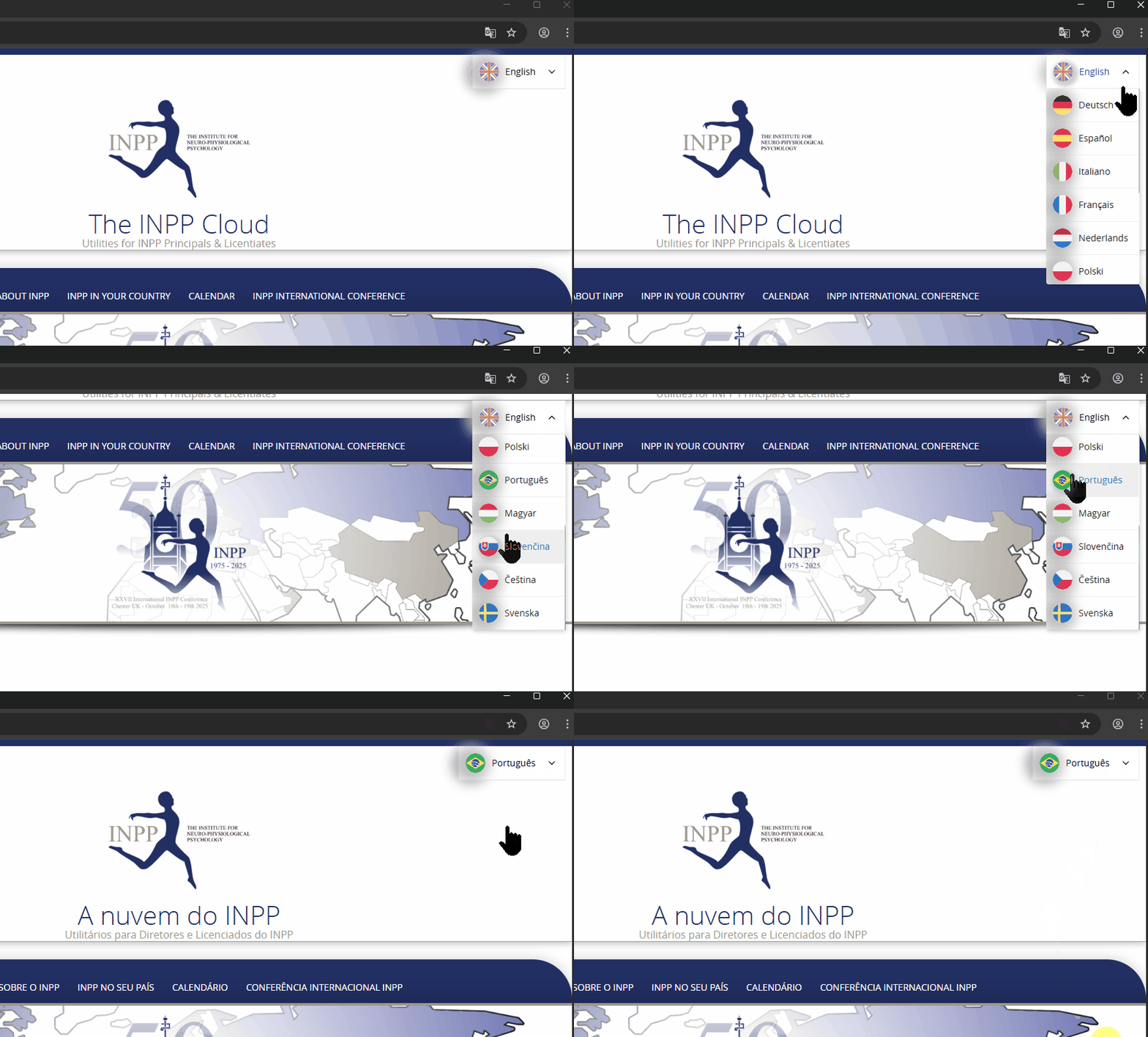
Choose your language
Go to the registration page. In the top right corner, find the language selector and choose your language before filling in the form.
Fill in the registration form
Complete all fields in the form:

Click “Register” and wait
Click the blue “Register” button at the bottom of the form. You will receive two emails:
✉️ Registration received
“Thank you for signing up! Please wait until your account is approved by an administrator. This may take up to 48 hours during weekends.”
✅ Account approved
“You have been approved to access The INPP Cloud.” — Contains your username and a link to set your password.
Part 2 — Access the site once your account is approved
After receiving the approval email, follow these steps to log in.
Click “Login or Register” (blue button)
Go to www.inpp.cloud. Click the blue “Login or Register” button on the homepage.

Enter your username and password
On the login page, enter your username and password, then click the blue “Log In” button.

❓ Frequently Asked Questions
I cannot find my Licentiate ID
Your Licentiate ID was sent to you by email when you joined INPP. Search your inbox for a code like 202209001. If you cannot find it, write to support@inpp.cloud.
I did not receive the confirmation email
Check your spam or junk folder. Wait at least 10 minutes. If you still have not received it, contact support@inpp.cloud.
My account has not been approved yet
Approval takes 24 to 48 hours (longer on weekends). If it has been more than 48 hours, write to support@inpp.cloud.
I forgot my password
Go to the login page and click “Lost your password?”. Enter your email and you will receive a reset link.
I used the wrong email address when registering
Contact support@inpp.cloud. Remember: the email must match the one in your Licentiate Agreement.
I am logged in but cannot access the materials
Access to clinical materials requires your annual Licentiate membership to be current. If you have renewed and still cannot access, contact support@inpp.cloud.
Need help? Write to support@inpp.cloud
